
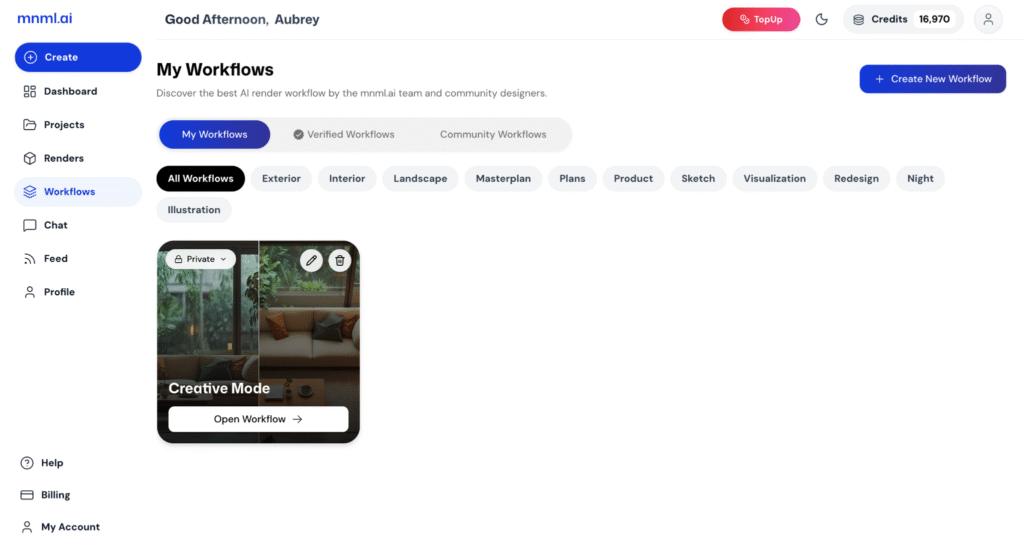
Discover the best AI render workflows created by the mnml.ai team and community designers. The Workflows page is where you can explore, learn from, and apply proven design workflows to enhance your creative process.
Each workflow showcases a unique approach to using mnml.ai’s tools — from prompt structure and mode selection to design style and scenario setup. You can browse, preview, and use these workflows directly in your own projects to achieve professional and consistent results.
In this quick walkthrough, we’ll take a look at the Workflows page, explore its features, and show you how to find and apply workflows that best fit your design goals.
Types of Workflows
On the Workflows page, you’ll find three main categories that help you organize and explore different workflow sources:
My Workflows – These are the workflows you’ve personally created or saved. You can edit, duplicate, or apply them directly to new projects.

Verified Workflows – Curated and tested by the mnml.ai team, these workflows are optimized for reliability and high-quality results. Perfect for when you want trusted setups.

Community Workflows – Created and shared by mnml.ai users. A great place to discover new ideas, creative approaches, and experiment with different rendering techniques.

How To Make Your Own Workflow
Creating your own workflow allows you to save your setup and reuse it for future projects. To make one, follow these steps:
1. Open the project you want to turn into a workflow.
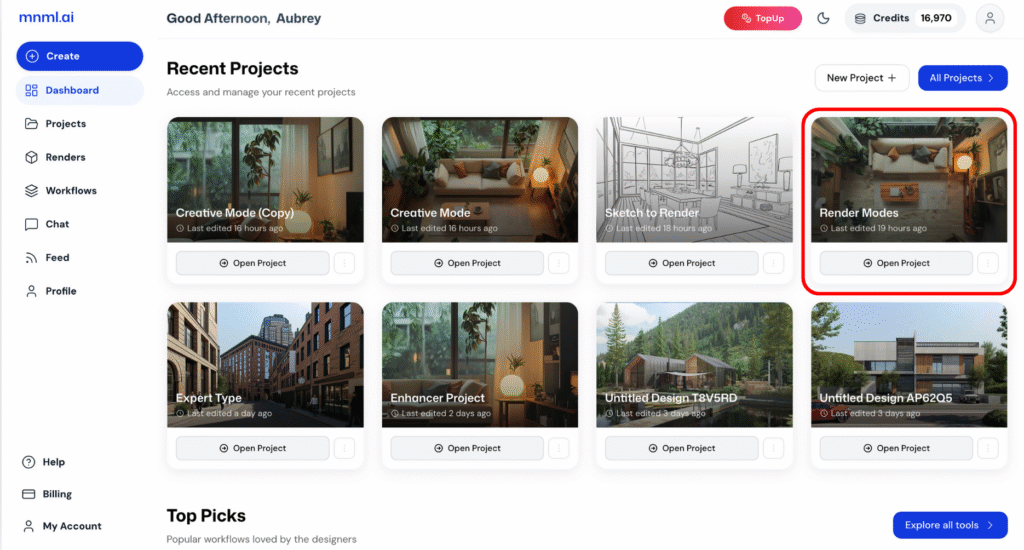
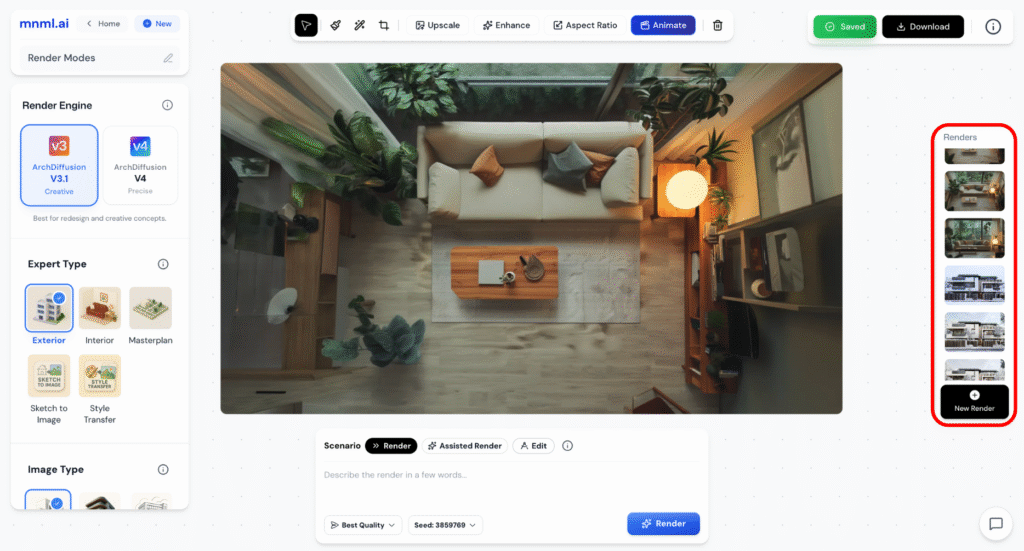
2. Review your renders and remove any unwanted ones.
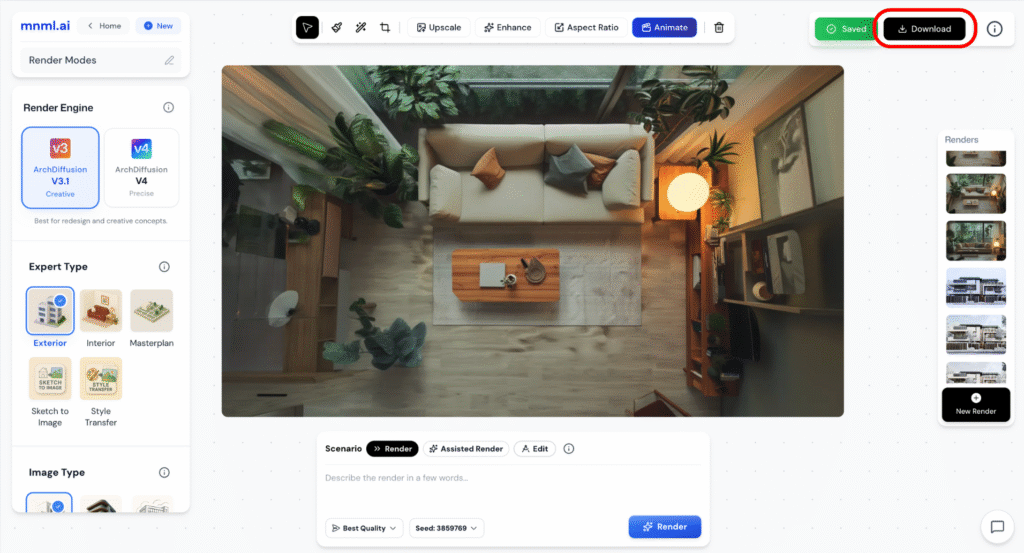
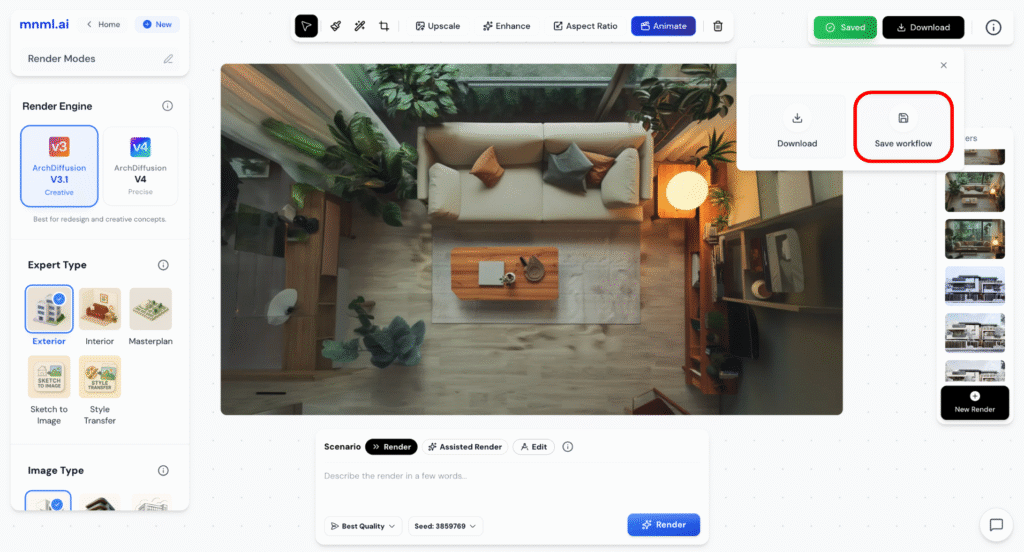
3. Once everything is ready, click the Download button at the top right corner of the Studio.
4. Select “Save Workflow.”
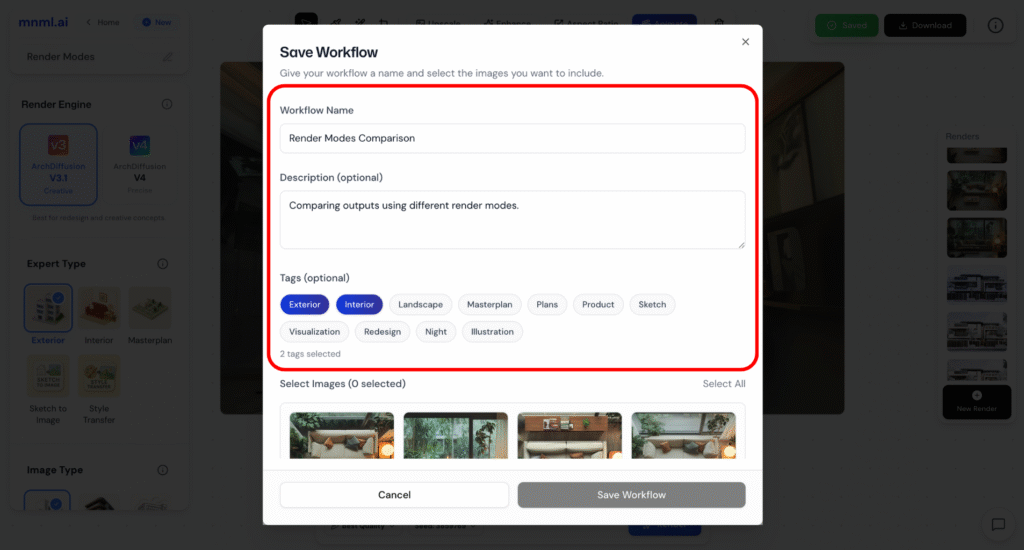
5. Enter a name and description for your workflow. You can also pick tags related to your workflow.
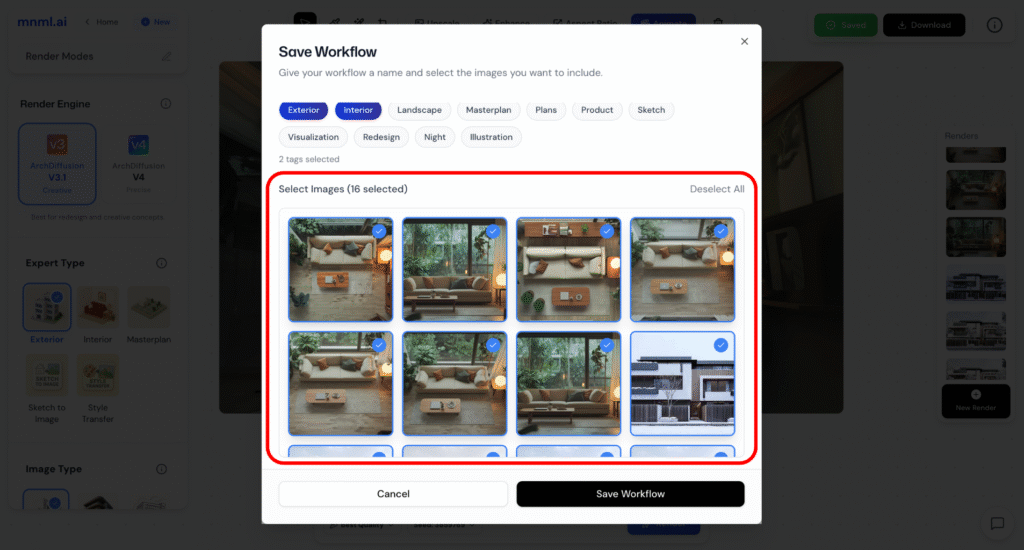
6. Choose the images you want to include.
7. Click “Save Workflow” to finalize.
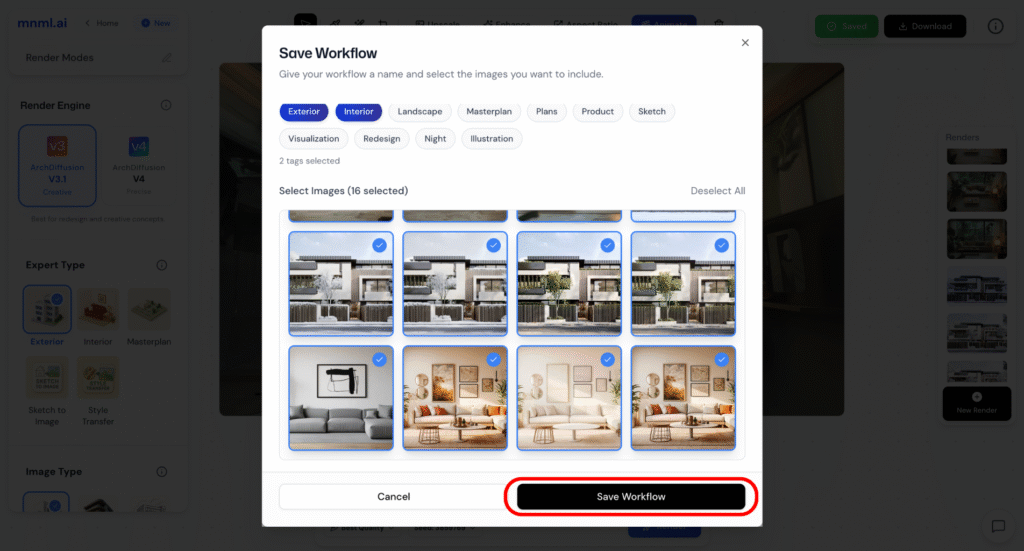
Your new workflow will now appear under the My Workflows section, ready to use anytime.
Final Takeaways
The Workflows feature helps you streamline your creative process by saving and reusing your best project setups. Whether you’re using verified workflows for reliable results or community workflows for inspiration, it’s a powerful way to learn and stay consistent. Creating your own workflow ensures you can easily replicate your favorite styles and settings—saving time while keeping your renders professional and cohesive.