
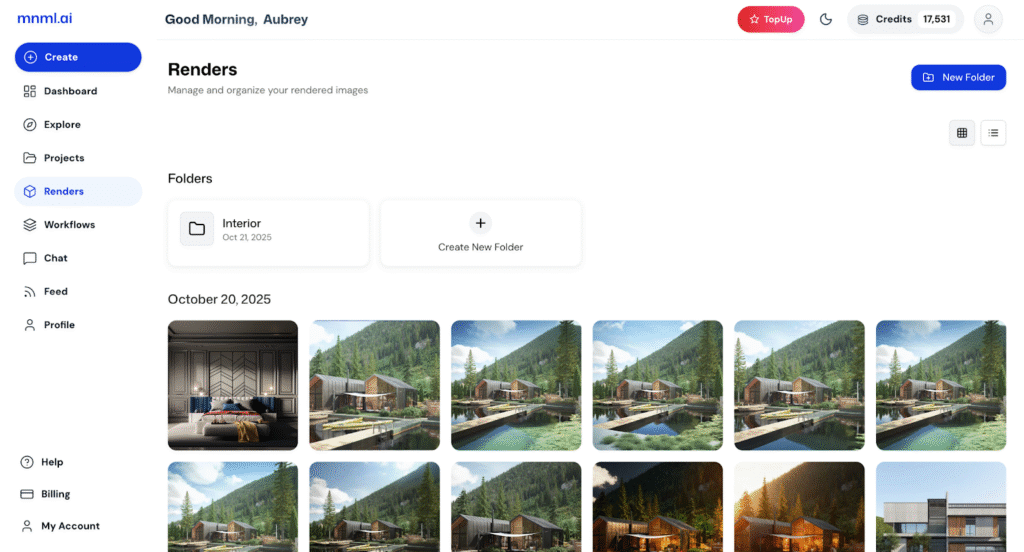
In this page, you can manage and organize all your rendered images. This includes renders created in both the new Studio version and those from legacy projects.
You can easily organize your renders by creating folders, making it simpler to keep your work structured and accessible.
In this quick walkthrough, we’ll explore the buttons and features of the Renders page to help you navigate and manage your outputs efficiently.
Folders
At the top center of the Renders page, you’ll find your existing folders along with a Create New Folder button.
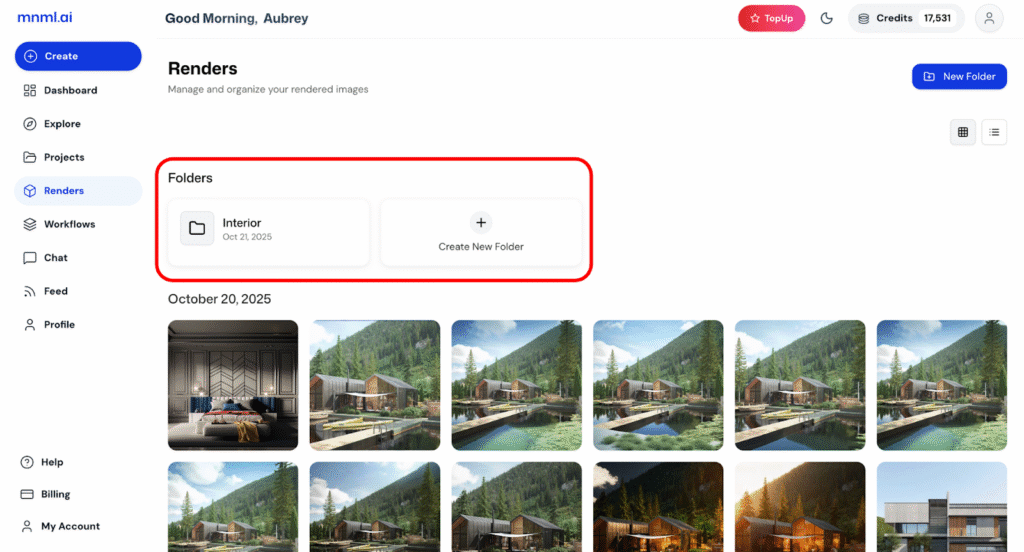
Folders – Display all your organized render collections. Each folder shows its name and creation date.
Create New Folder – Click this button to make a new folder for your renders. Simply enter a folder name, then click “Create” to save it.
This feature helps you keep your renders grouped by project type, style, or client—making your workspace more organized and efficient.
Renders Display
At the center of the Renders page, you’ll see all your renders organized by date. Each render is shown as a thumbnail, giving you a quick visual overview of your work.
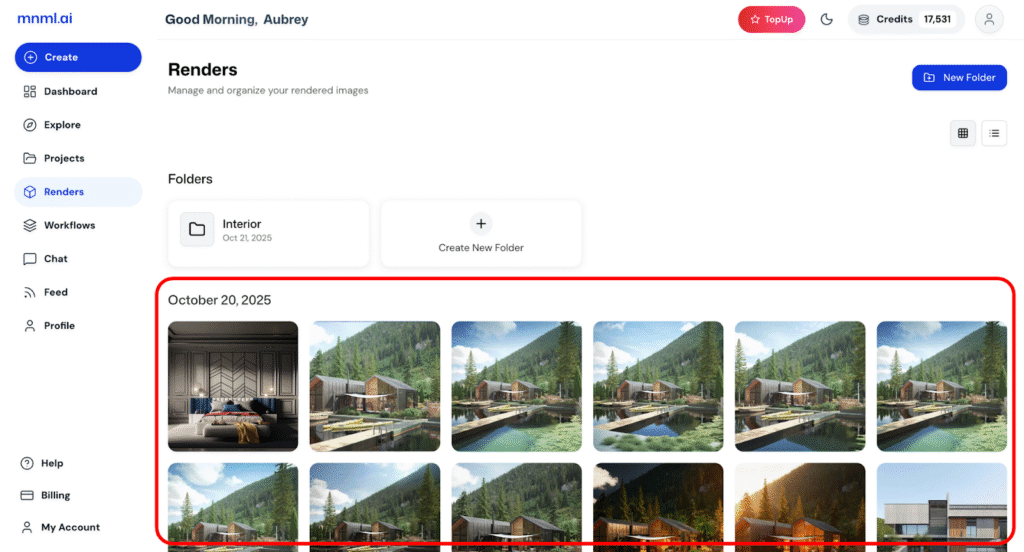
When you hover your cursor over a render, you’ll see quick-access buttons.
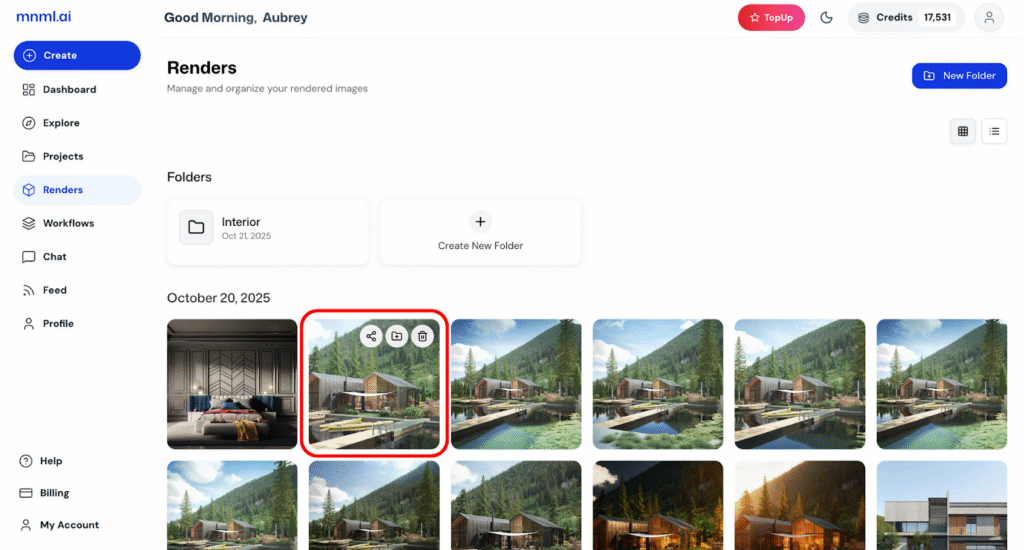
Share – Instantly share your render with others.
Add to Folder – Move or organize the render into a specific folder.
Delete – Remove the render you no longer need.
This setup makes it easy to manage your renders efficiently and keep your workspace organized.
View and Folder Options
At the top right corner of the Renders page, you’ll find quick controls for managing how your renders are displayed and organized.
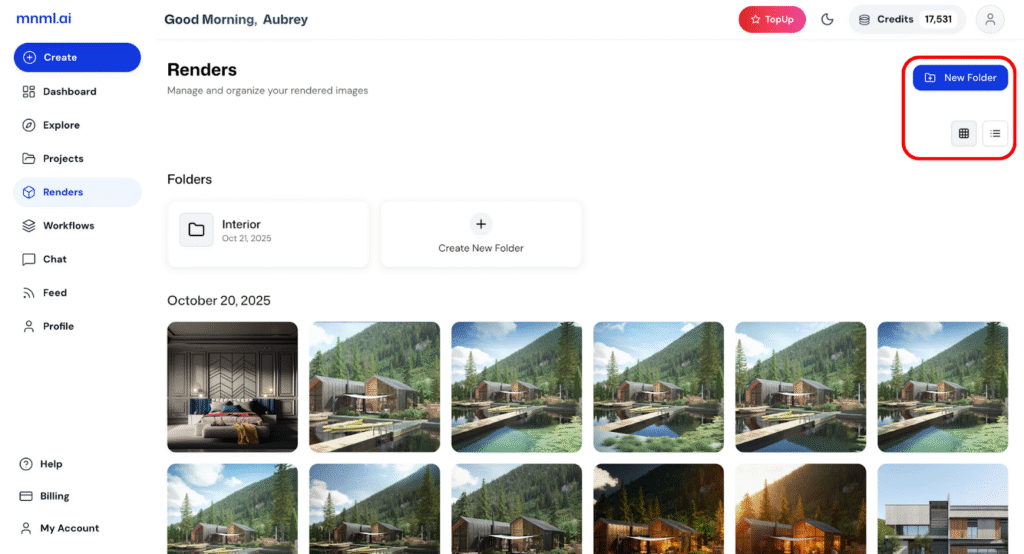
New Folder – Create a new folder instantly to keep your renders grouped by project or category.
Grid / List View – Switch between grid view for a visual layout or list view for a more structured, detail-oriented display.
These options let you organize your workspace based on your preferred viewing style and workflow.
Final Takeaways
The Renders page gives you full control over how you organize, view, and manage your work. With features like folders, quick-access tools, and flexible viewing options, you can easily keep your renders tidy and accessible. Whether you’re sorting by project, sharing outputs, or cleaning up old files, everything is designed to make your workflow smoother and more efficient.