
Render Mode lets you choose your preferred rendering quality and style, giving you control over how your design is interpreted and visualized. Each mode offers a unique balance between precision, creativity, and detail. We have three mode: Balanced, Creative, and Ultra.
Selecting the right mode helps you achieve the desired look and quality for your project, whether you’re refining concepts or finalizing presentation-ready visuals.
Today, we’ll discuss and try each mode using a sample image to see how they perform in different design scenarios.
Different Modes in Action
To understand how each Render Mode behaves, we’ll try all three using a single input image. This will show how each mode interprets the same prompt differently in terms of detail, tone, and visual style.
1. Changing Image Style
Input Image:
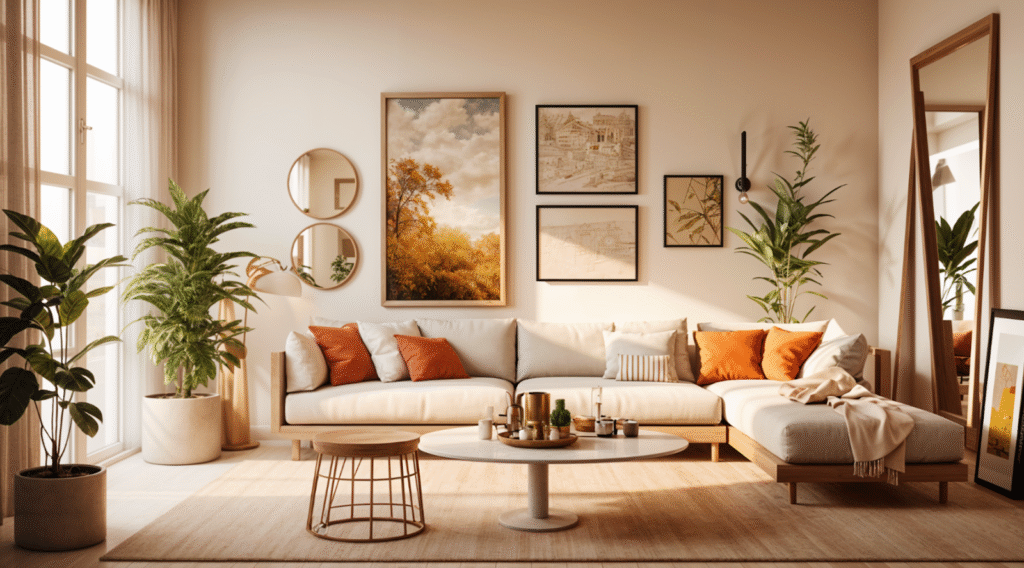
a. Balanced Mode
Scenario: Render
Prompt: turn to modern minimalist style
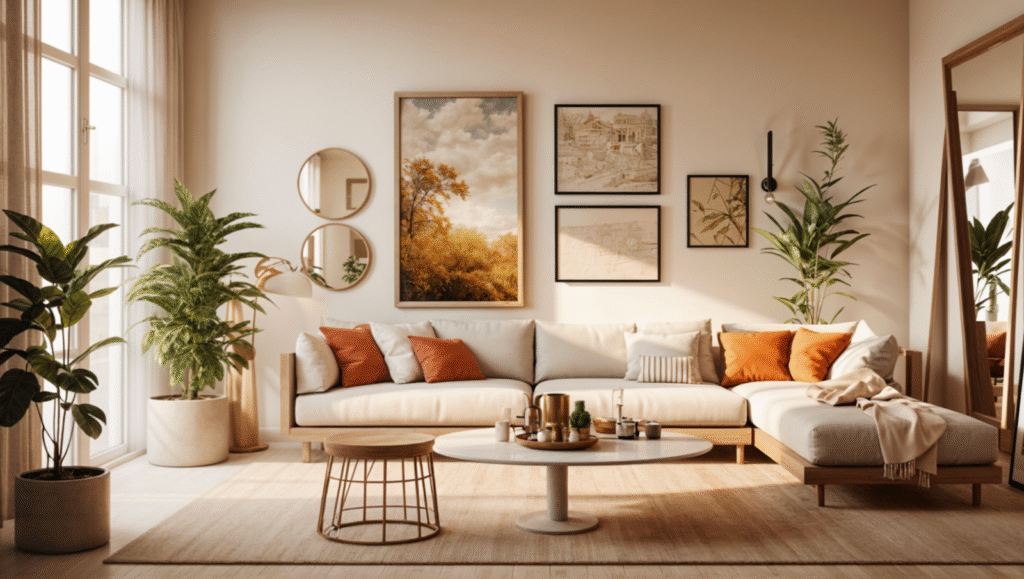
b. Creative Mode
Scenario: Render
Prompt: turn to modern minimalist style
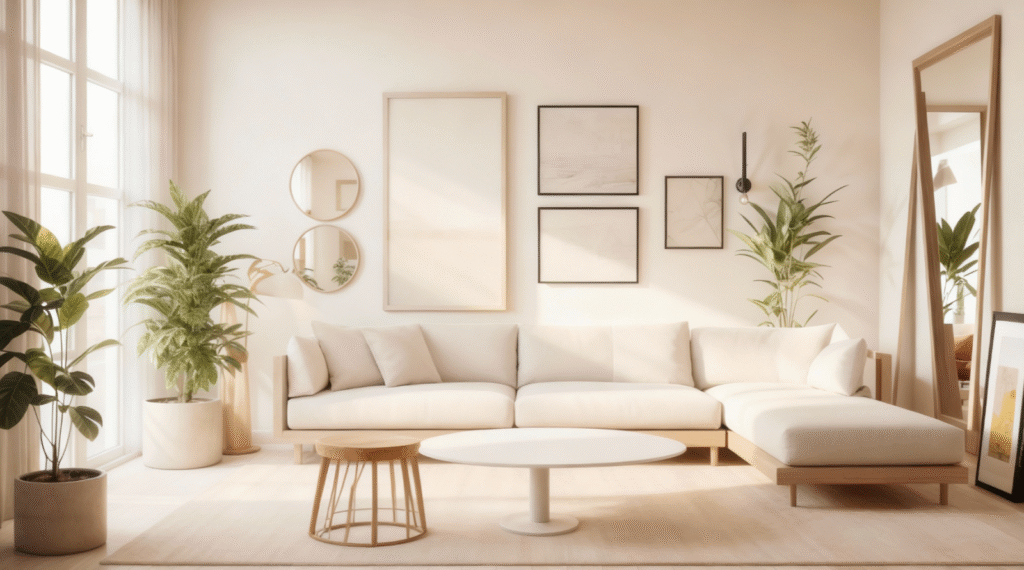
c. Ultra Mode
Scenario: Render
Prompt: turn to modern minimalist style
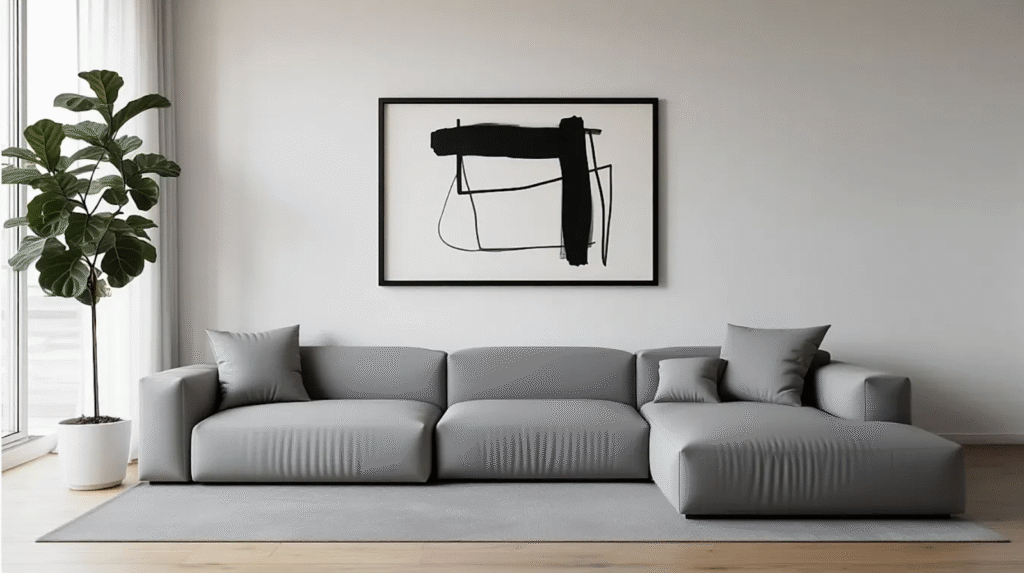
2. Changing Atmosphere/Season
Input Image:
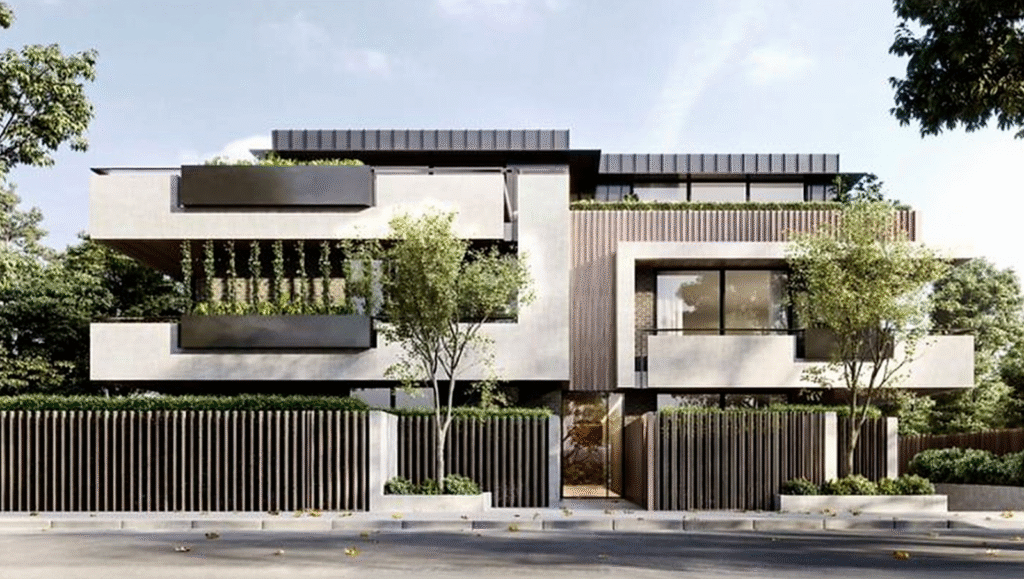
a. Balanced Mode
Scenario: Edit
Prompt: turn to winter scene
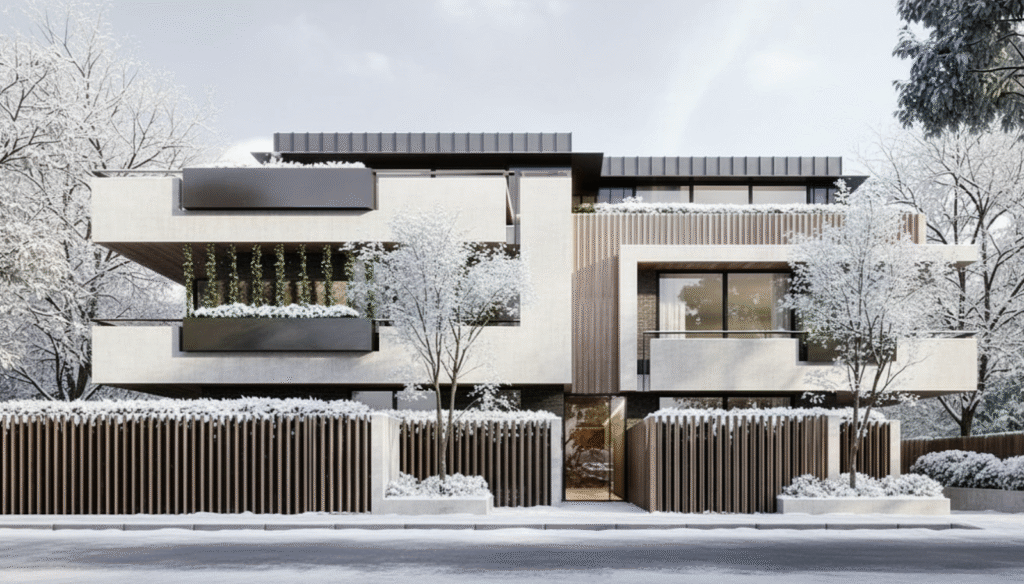
b. Creative Mode
Scenario: Edit
Prompt: turn to winter scene
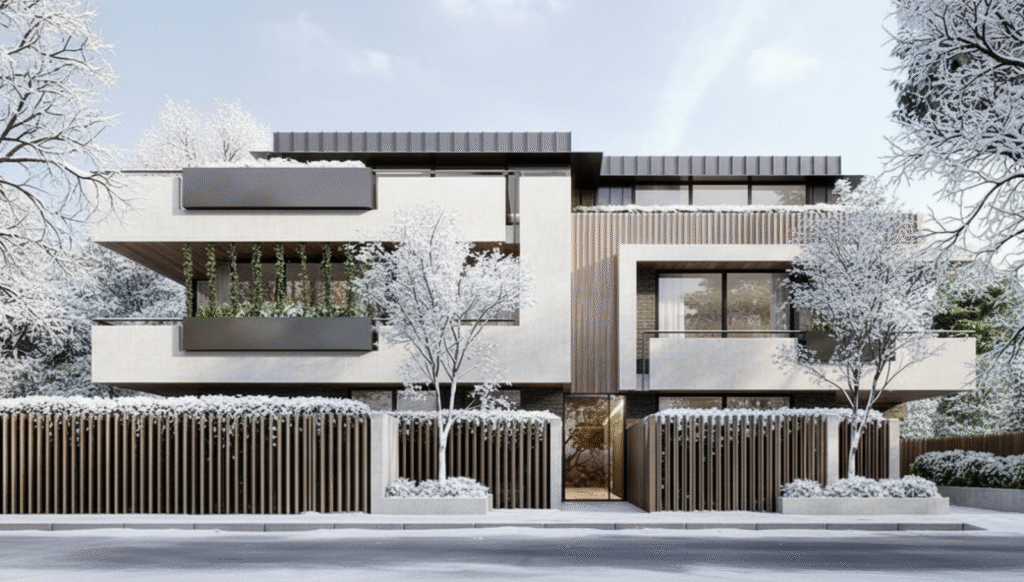
c. Ultra Mode
Scenario: Edit
Prompt: turn to winter scene
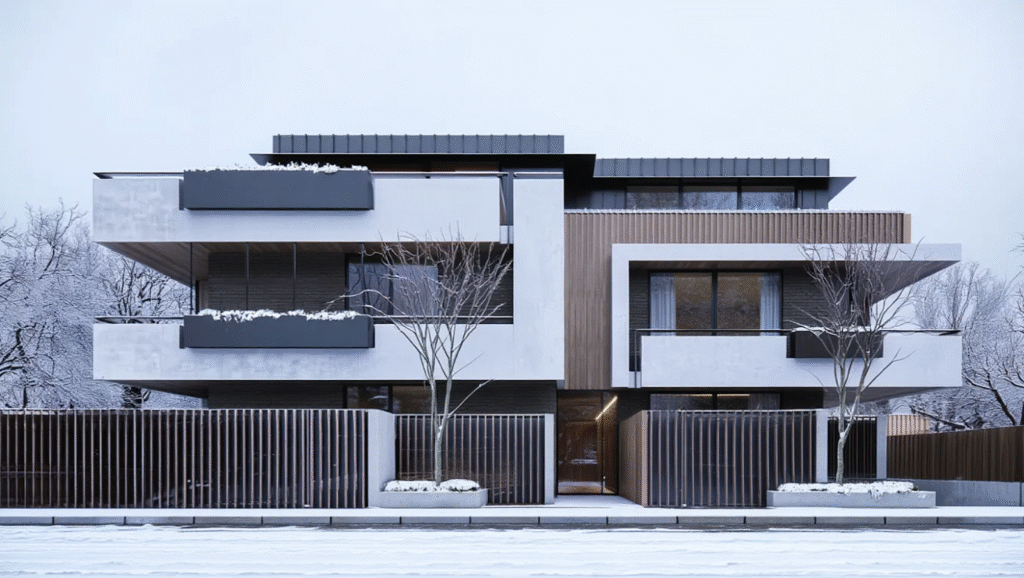
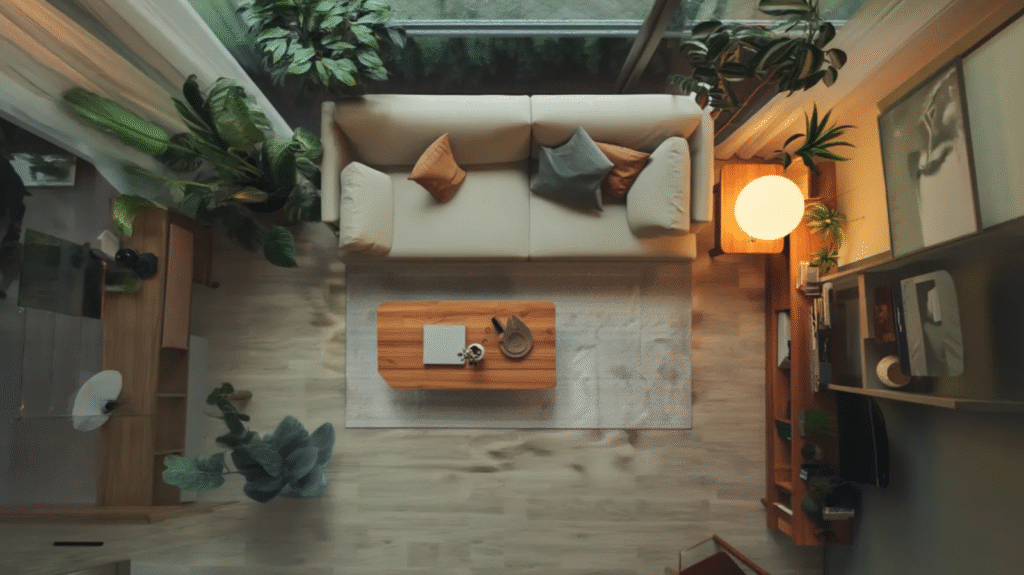
3. Changing Camera Angle
Input Image:
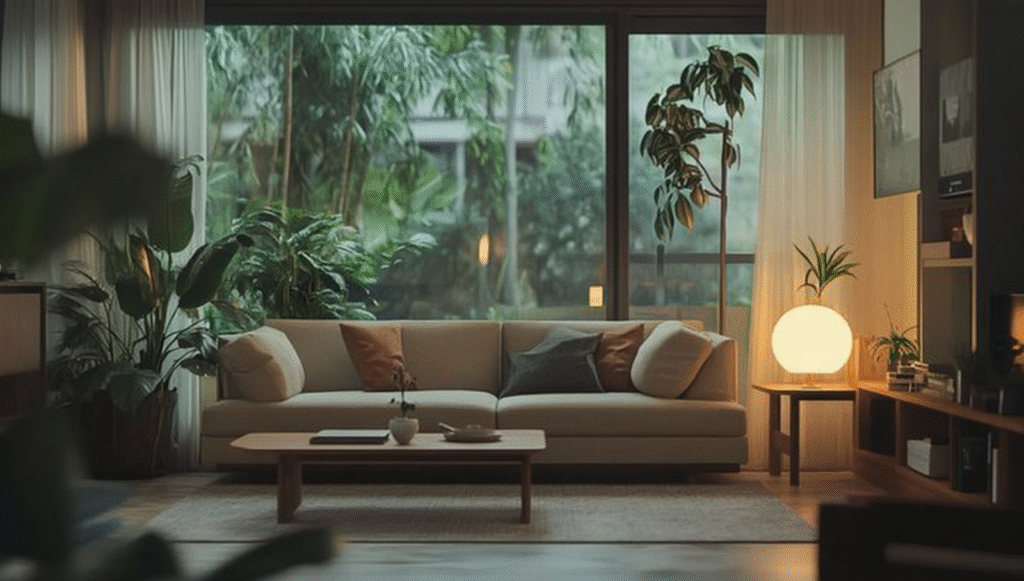
a. Balance Mode
Scenario: Edit
Prompt: change camera angle to top view, maintain 100% geometry
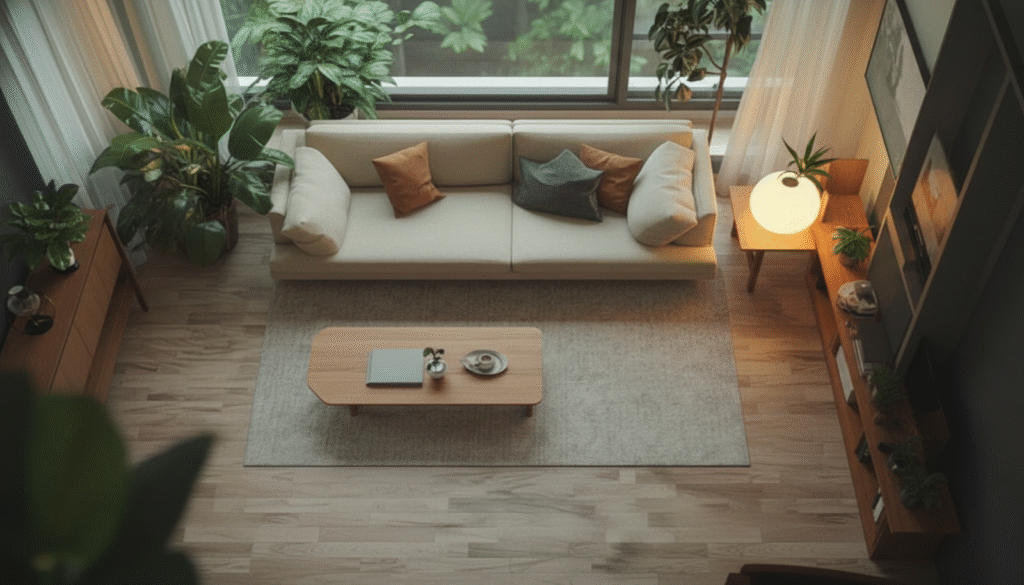
b. Creative Mode
Scenario: Edit
Prompt: change camera angle to top view, maintain 100% geometry
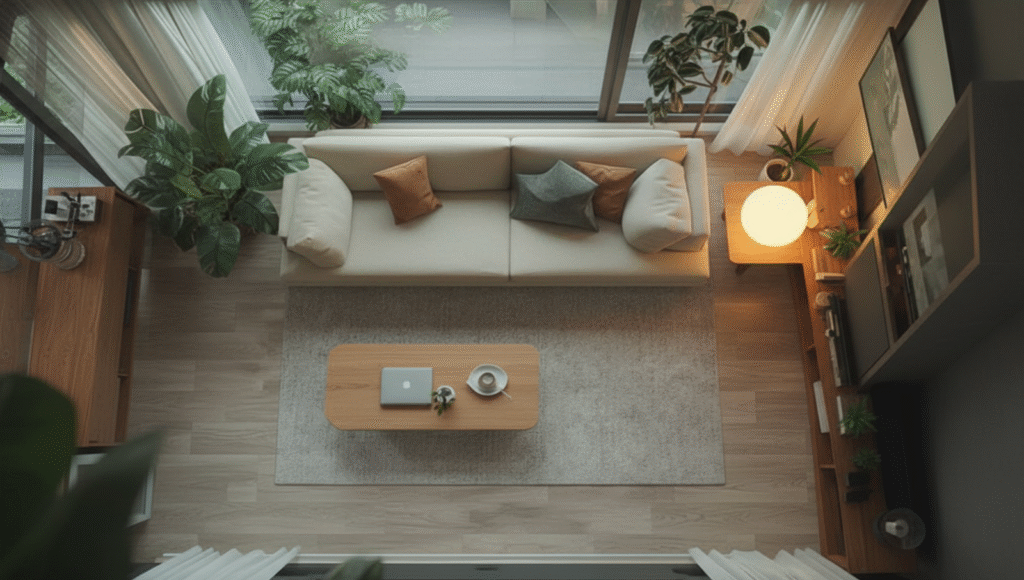
c. Ultra Mode
Scenario: Edit
Prompt: change camera angle to top view, maintain 100% geometry
Final Takeaways
Each Render Mode offers a distinct balance between precision, creativity, and quality. Knowing when to use each mode can help you achieve your desired outcome faster and more effectively.
Tips for Choosing the Right Mode:
- Balanced Mode – Best for technical accuracy, client previews, or early design stages where realism and proportion matter most.
- Creative Mode – Ideal for concept exploration, mood studies, or when you want the AI to take artistic freedom and propose design variations.
- Ultra Mode – Perfect for final presentations or marketing visuals that demand the highest level of detail and realism.
Your render mode choice should match your project goal. Start with Balanced for stability, move to Creative for exploration, and finish with Ultra for polished, presentation-ready results.