

You spent time perfecting your render. Now it is time to export it; quickly and correctly.
Whether you just finished enhancing your image or you want to revisit and download it later from your dashboard, mnml.ai makes it simple.
This step-by-step guide walks you through both methods so you can always access your final images in the right format, resolution, and timing without wasting clicks.
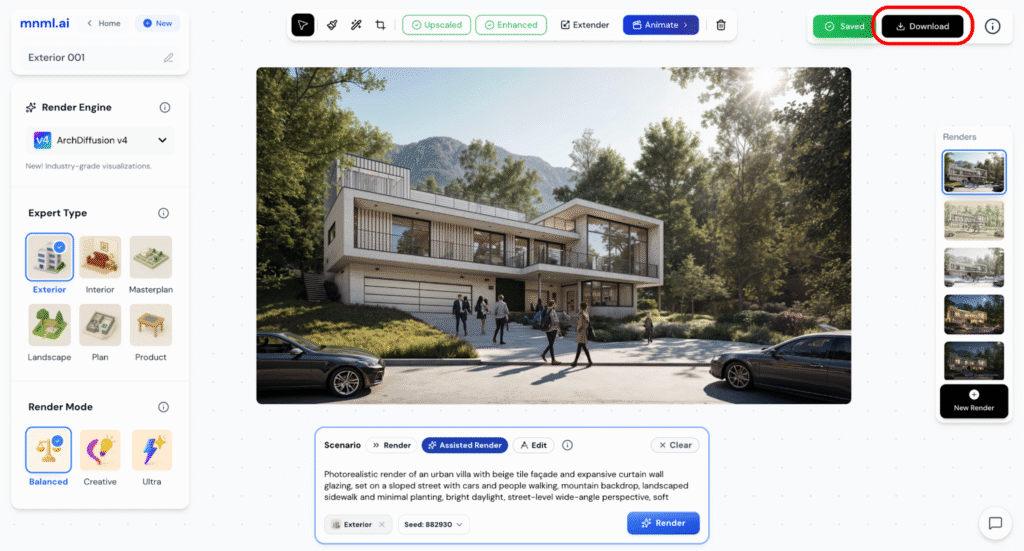
Step 1: Click Download
Once your render is enhanced and ready, simply click the Download button in the top right corner.
Step 2: Select Download Option
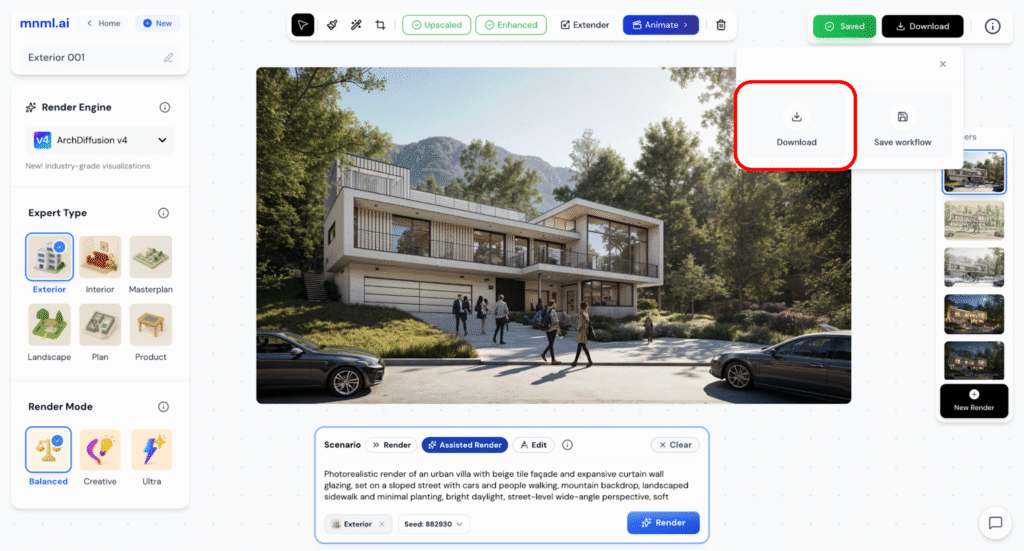
After clicking the Download button, a pop-up will appear with two choices: Download and Save Workflow. Choose Download.
Step 3: Choose Image Type
After selecting Download, a dropdown will appear asking you to choose the image type.
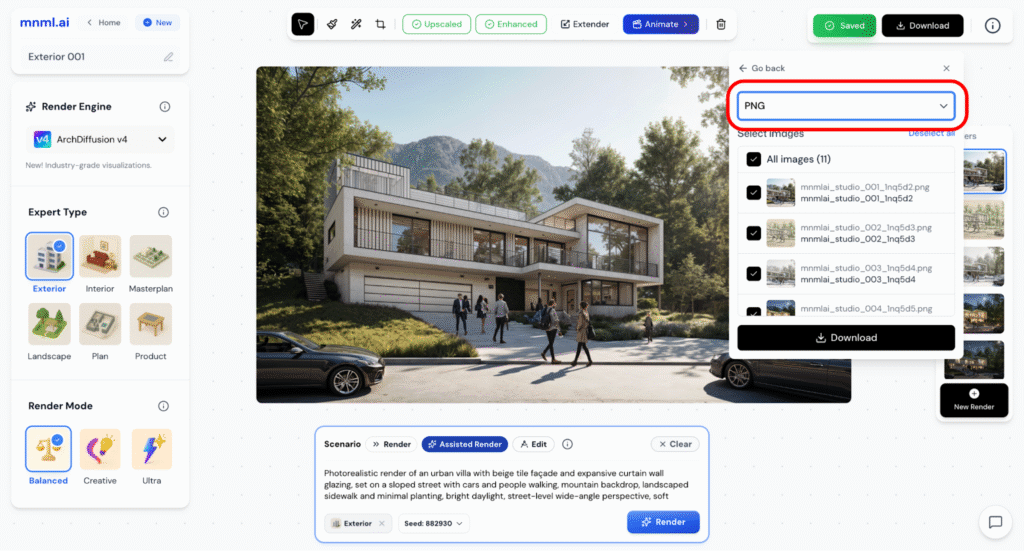
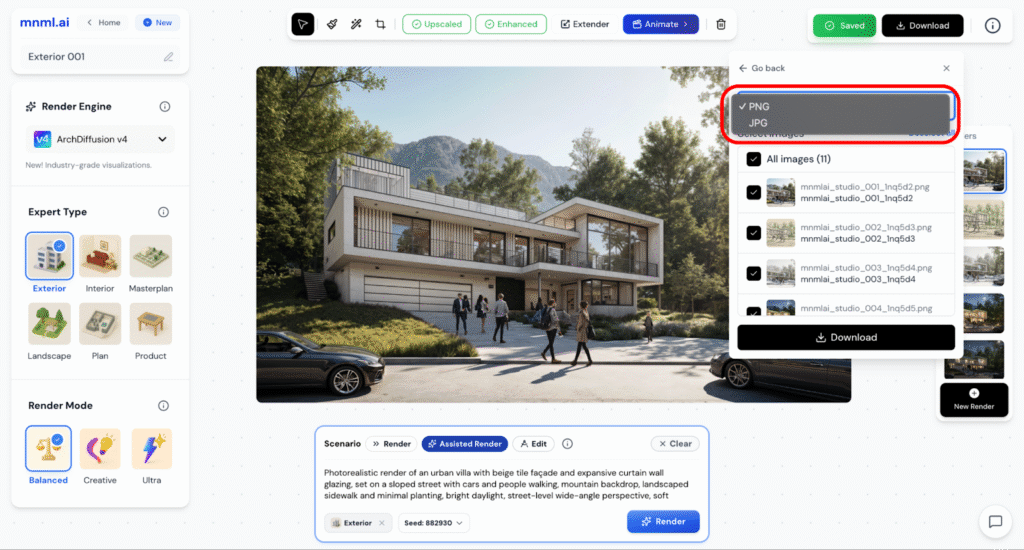
You can pick between PNG and JPEG.
- PNG is best for high-quality, lossless images
- JPEG is better for smaller file sizes and faster sharing
Select the type that fits your purpose.
Step 4: Select Your Images
After choosing the image type, you will see a list of all available renders.
To proceed, simply check the box beside the image or images you want to download.
You can select a single render or multiple at once.
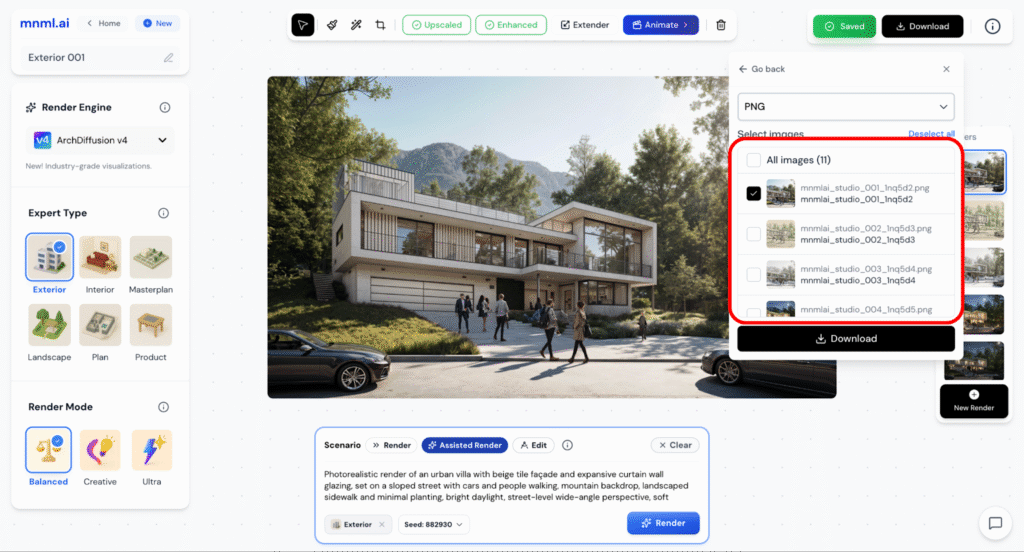
Step 5: Click Download
Once you have selected your preferred type and checked the images you want, click the Download button at the bottom of the panel.
Your selected files will begin downloading immediately to your device, saved in the type you chose.
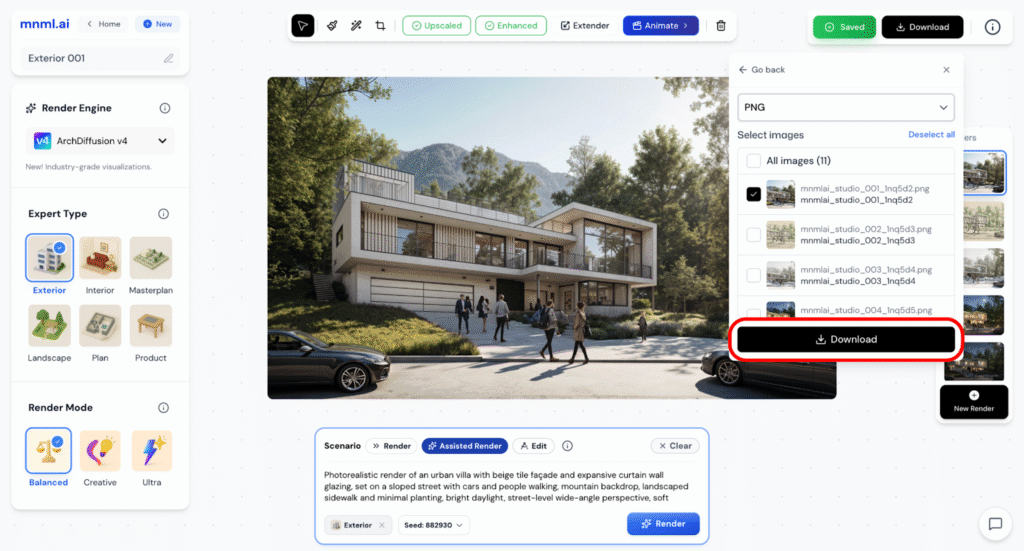
Accessing Downloads from the Dashboard
If you want to download your renders later without opening the full project, you can do that directly from your Dashboard.
First click the mnml.ai logo to return to your Dashboard.
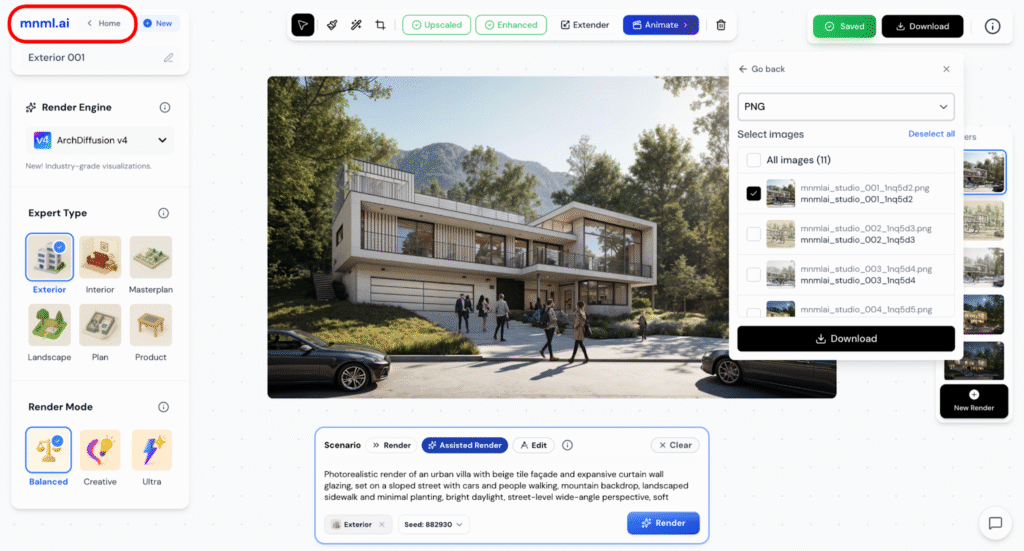
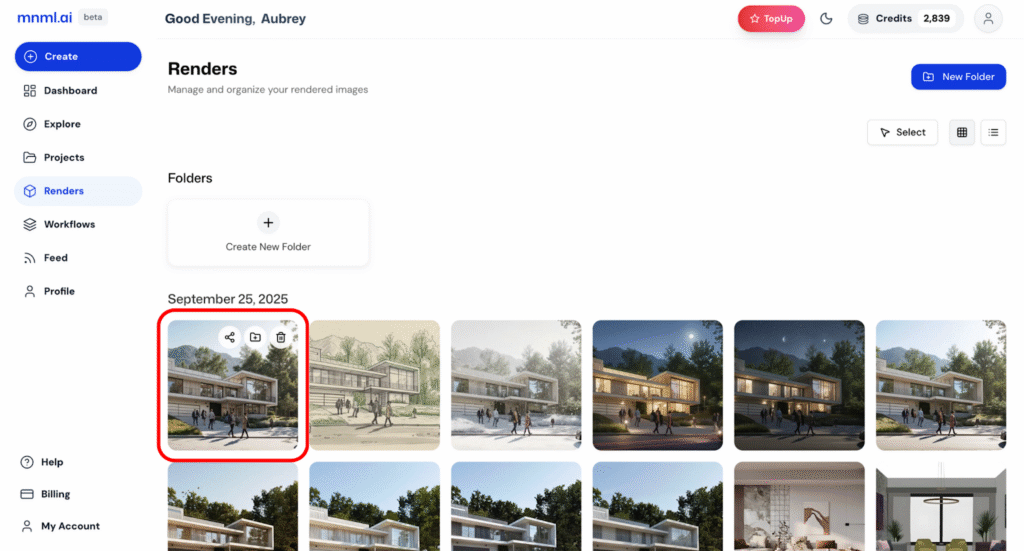
From your Dashboard, click on the Renders tab in the left-hand menu.
This section shows all your saved outputs organized by date. You can view thumbnails, search by project, or sort by recent activity.
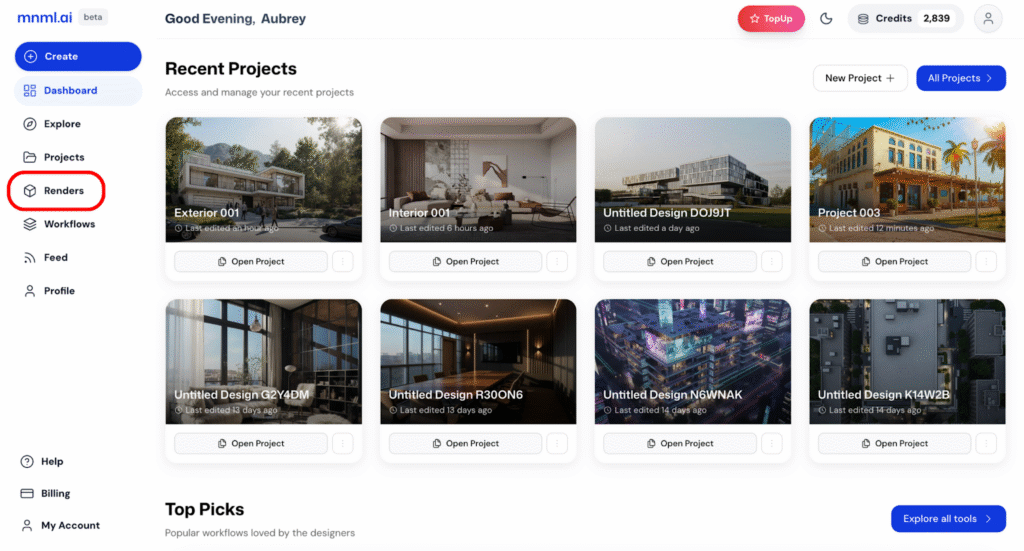
Now, click on the thumbnail of the render you wish to download.
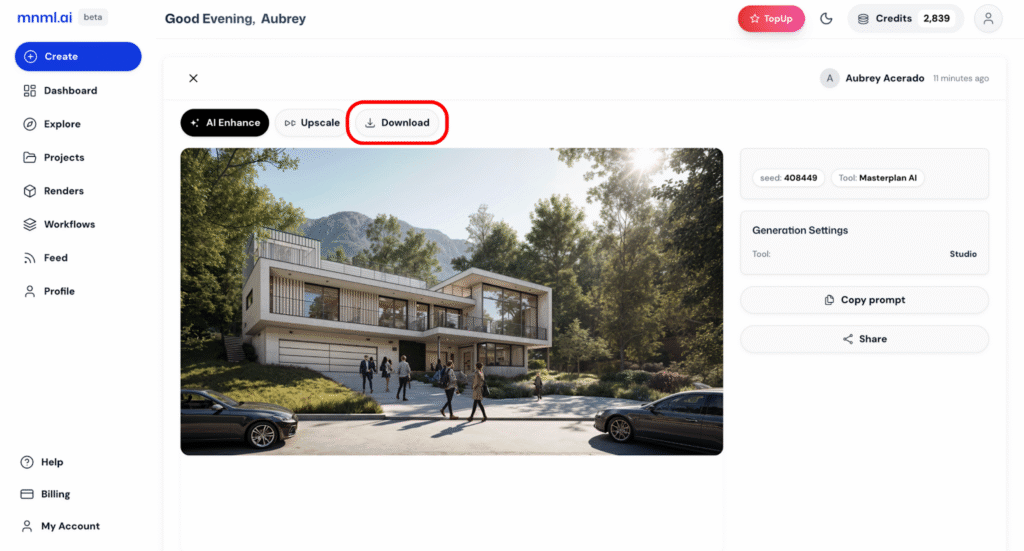
Once the image preview opens, simply click the Download button at the top.
Your render will be saved directly to your device in its current resolution and type.
Final Thoughts
Downloading your render is just as important as creating it.
Make sure to enhance the image first for the best possible output, then export in the type that suits your use case; whether that is PNG for crisp quality or JPEG for lighter file sizes.
And remember: You do not need to open the entire project again.
Just head to your Dashboard > Renders, find your design, and download it on the spot.
Simple, efficient, and ready whenever you are.